Superset Integration with Apache Spark and Trino
Apache Superset is a modern, enterprise-ready data exploration and visualization platform. In the context of Ilum, it serves as the primary BI interface, enabling users to create interactive dashboards directly on top of distributed compute engines like Apache Spark and Trino.
Built on a robust python stack (Flask, pandas, and SQLAlchemy), Superset integrates seamlessly with Ilum's Kubernetes-native architecture. It leverages the PyHive driver to communicate with Ilum's Thrift servers, effectively treating massive distributed datasets as standard SQL tables.
Architecture and Engine Selection
Ilum exposes two distinct query engines that Superset can leverage, each optimized for specific workloads. Choosing the right engine is critical for dashboard performance.
| Feature | Apache Spark SQL | Trino |
|---|---|---|
| Best For | Heavy ETL, massive aggregations, complex transformations, and long-running queries. | Interactive analytics, ad-hoc queries, and low-latency dashboards on small-to-mid-sized datasets. |
| Execution Model | On-Demand: Resources are allocated dynamically per job. Excellent for cost control but introduces startup latency. | Always-On: A standing cluster of workers. Provides sub-second response times but consumes constant resources. |
| Ilum Integration | Native. Enabled by default. Uses Ilum's ephemeral Spark clusters. | Optional. Requires enabling the Trino module. |
Superset does not process data itself; it acts as a thin client. When a user opens a dashboard, Superset generates SQL queries via SQLAlchemy, sends them to the configured engine (Spark or Trino), and renders the returned result set.
Deployment and Configuration
Superset is deployed as a sub-chart within the Ilum ecosystem. To enable it, you must modify your Helm values.
Basic Enablement
To deploy the default Superset instance:
--set superset.enabled=true
Advanced Helm Configuration
For production environments, you should configure resource quotas and persistence to ensure stability.
superset:
  enabled: true
  # Persist dashboard metadata (PostgreSQL)
  postgresql:
    persistence:
      enabled: true
      size: 10Gi
  # Resource limits for the Superset web server/worker
  resources:
    requests:
      cpu: "500m"
      memory: "1Gi"
    limits:
      cpu: "1000m"
      memory: "2Gi"
  # Disable loading examples to speed up startup
  init:
    loadExamples: false
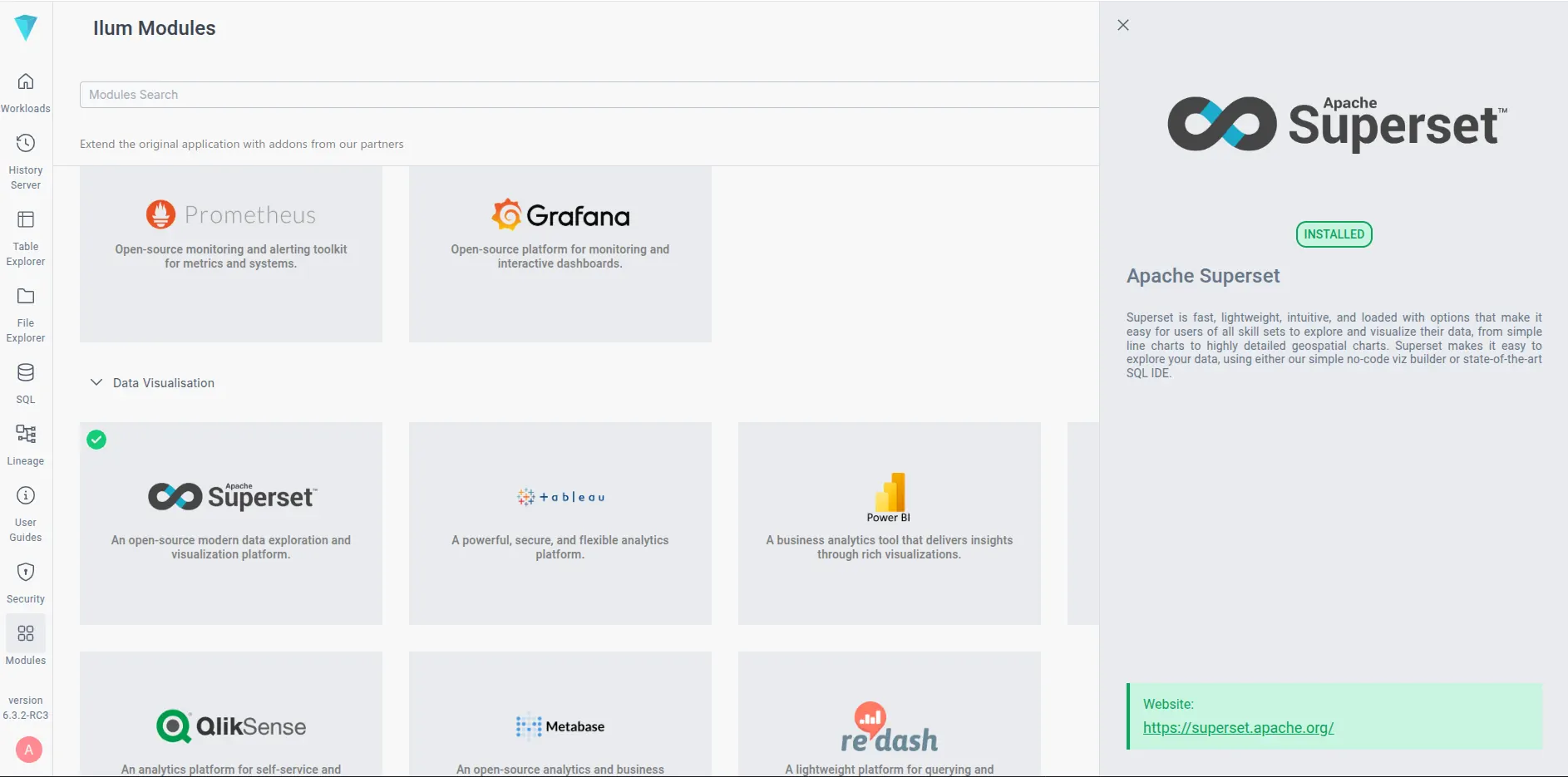
Once deployed, the Superset UI is accessible via the Modules tab in the Ilum interface.
- Default Credentials:
admin/admin
Connecting to Data Sources
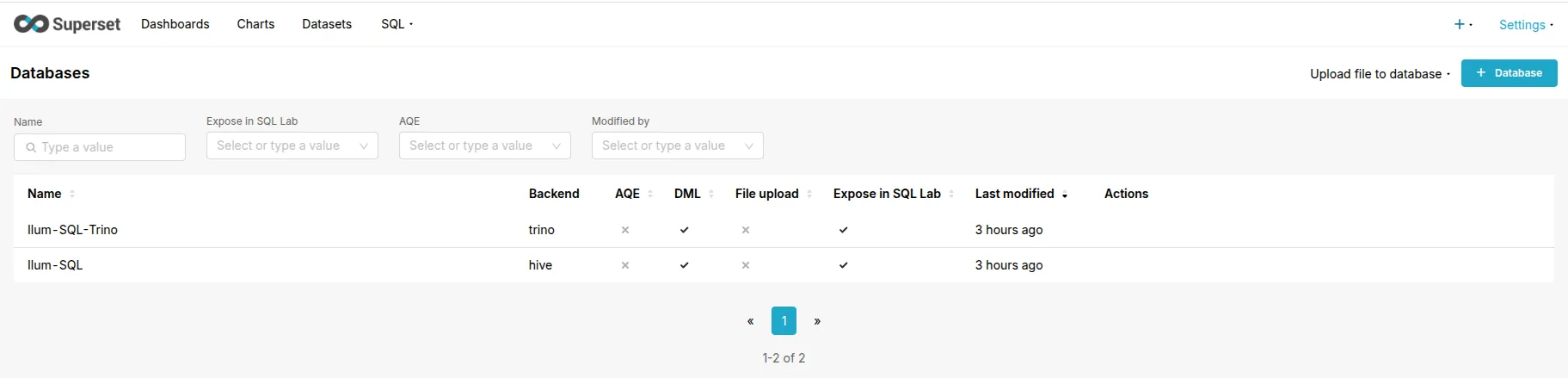
One of Ilum's key advantages is its Zero-Config Connectivity. When Superset is enabled alongside Ilum's core components, it automatically discovers and configures connections to the available query engines.
You do not need to manually enter SQLAlchemy URIs or manage driver versions. Ilum automatically provisions the following connections if the respective modules are active:
- Spark SQL: Automatically connected via the
ilum-sql-thrift-binaryservice. - Trino: Automatically connected if the Trino module is enabled in Helm.
To view or fine-tune these connections, navigate to Settings tod Database Connections.
Fine-Tuning Spark Connections
While the connection is established automatically, you may want to optimize the Engine Parameters for specific dashboard workloads. This is done by editing the connection and modifying the Advanced $\to$ Other field.
You can inject native Spark configuration properties directly through the connect_args JSON object.
Example: Targeting a Specific Ilum Cluster
To route queries from a specific database connection to a dedicated Spark cluster (e.g., a "High Memory" cluster for heavy dashboards), use the configuration object:
{
  "connect_args": {
    "configuration": {
      "spark.ilum.sql.cluster.id": "heavy-workload-cluster-1"
    }
  }
}
Example: Tuning Spark Execution You can also tune the Spark session for the specific needs of BI queries, such as increasing the number of shuffle partitions or setting timeouts:
{
  "connect_args": {
    "configuration": {
      "spark.sql.shuffle.partitions": "200",
      "spark.network.timeout": "300s",
      "spark.sql.broadcastTimeout": "600"
    }
  }
}
Data Modeling and Semantic Layer
Superset provides a semantic layer that allows you to define metrics and calculated columns before visualization. This ensures consistency across dashboards and simplifies the user experience for non-technical creators.
Virtual Datasets via SQL Lab
Instead of connecting charts directly to raw physical tables, best practice is to use Virtual Datasets.
- Navigate to SQL Lab.
- Write an optimized SQL query to aggregate or filter your data (e.g., pre-calculating daily revenue).
- Click Explore to visualize immediately, or Save Dataset to make it reusable.
This approach pushes the heavy computational lifting (joins, aggregations) to the distributed engine (Spark/Trino) rather than fetching millions of rows into Superset.
Defining Metrics
In the dataset editor, you can define Metrics (e.g., SUM(revenue)) and Calculated Columns (e.g., CASE WHEN...). These definitions are translated into SQL expressions at query time, ensuring that the logic remains centralized.
Performance Optimization
To achieve sub-second dashboard load times on large datasets, a multi-layered optimization strategy is required.
1. Data Layer Optimization (Spark/Iceberg/Delta)
- Partitioning: Ensure your underlying tables are partitioned by commonly filtered columns (e.g.,
date,region). This allows Spark/Trino to perform partition pruning and skip scanning irrelevant files. - File Formats: Use columnar formats like Parquet, Delta Lake, or Apache Iceberg. These formats support statistics skipping (min/max values), which significantly reduces I/O.
2. Caching Strategy
Superset supports caching query results to avoid re-executing expensive computations.
- Chart Caching: Configure a Redis or Memcached backend in your Helm values (
supersetEnv.CACHE_CONFIG). Set a reasonable timeout (e.g., 24 hours) for dashboards that don't need real-time data. - Superset Meta Database: Ensure the internal SQLite database (default) is replaced with PostgreSQL for production use to handle high concurrency of dashboard access.
Troubleshooting
Query Timeouts & "The query returned no data"
Symptom: Charts spin for a long time and then fail with a timeout or network error. Cause: The query is taking longer than the configured timeouts in the load balancer (Ingress/Nginx) or Superset itself. Solution:
- Increase Superset Timeouts: In
superset_config.py(via Helm), increaseSQLLAB_TIMEOUTandSUPERSET_WEBSERVER_TIMEOUT. - Optimize the Query: Use SQL Lab to analyze the query plan. If it involves a full table scan on a large dataset, add filters or aggregation.
Serialization Errors / Complex Types
Symptom: TypeError: Object of type '...' is not JSON serializable.
Cause: Spark complex types (STRUCT, ARRAY, MAP) may not map cleanly to Superset's visualization logic.
Solution: In your Virtual Dataset query, explicitly cast complex types to strings (e.g., CAST(my_struct AS STRING)) or extract specific fields (my_struct.field) before visualization.
"Pending" State for Long Periods
Symptom: Queries remain in "Pending" state indefinitely.
Cause: The Spark cluster may lack sufficient resources (CPU/RAM) to launch the executors required for the query.
Solution: Check the Jobs tab in Ilum. If the job is waiting for resources, either scale up the cluster or increase the resources.requests in the Helm chart.